
Xcalidraw
A hand-drawn whiteboard for iPad and Apple Pencil. Rough, quick, still readable.

Rough on purpose.
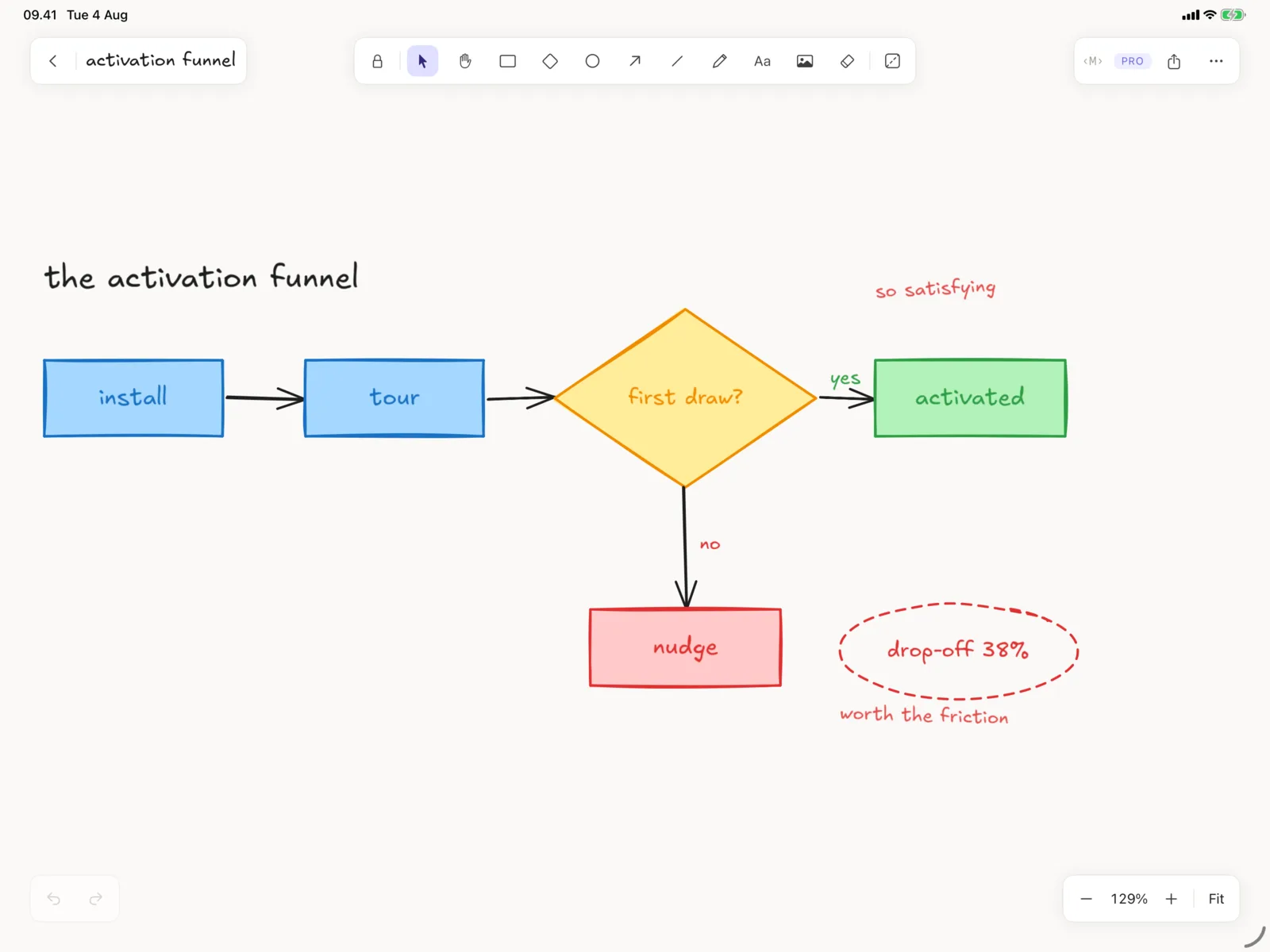
The sketchy look isn't a filter sitting on top of clean shapes. The geometry itself is generated rough, which is why a box you drew in a hurry still looks like you meant it. The canvas doesn't end, so you never stop to shuffle things around and make room.
Rest your hand on the glass.
Palm rejection is on from the first stroke. Panning and zooming never leave a mark, not once. Freehand comes out smooth instead of jittery. All of it works offline, with no account, no login, and nothing to sign up for.
Your Excalidraw files open here. Free.
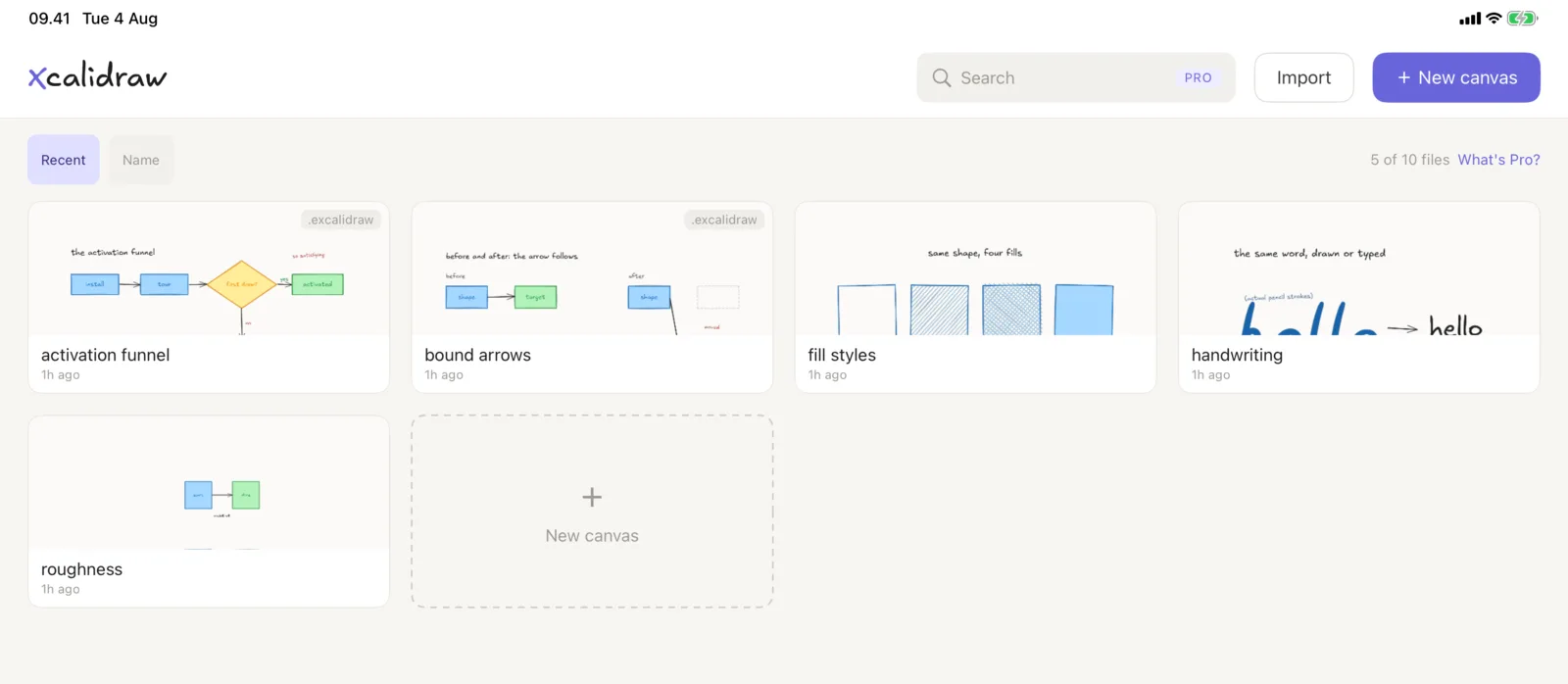
Xcalidraw reads and writes .excalidraw directly, so bring over the ones you already have and pick up where you left off. Fields it doesn't recognise are kept as they are, so a file that came from somewhere newer doesn't come back damaged.
Paste Mermaid, get elements.
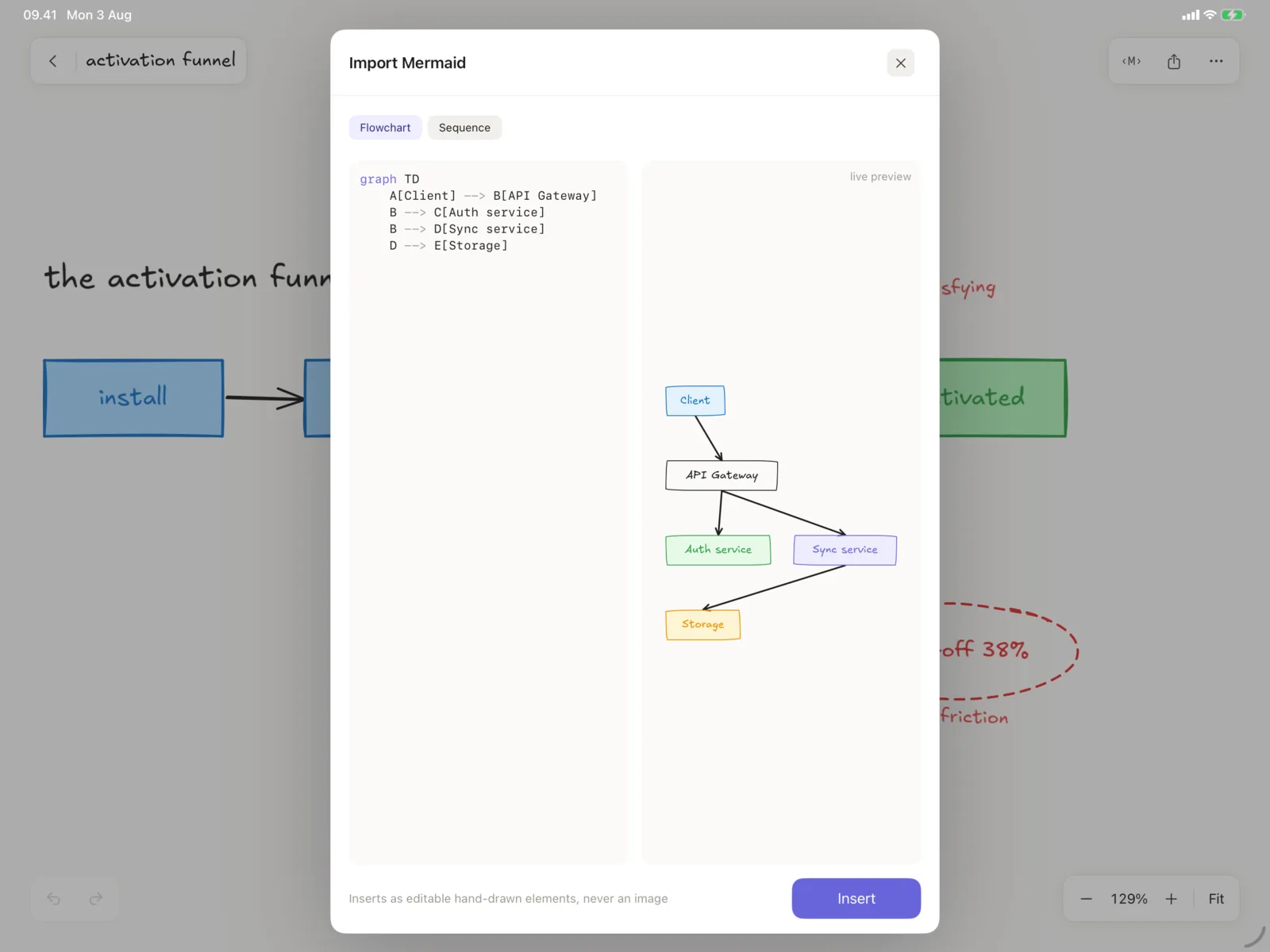
A flowchart or sequence diagram becomes real elements you can move, restyle and retype. Never a picture of a diagram. Parsing and live preview are free, so you see exactly what you'd get before deciding. Inserting onto the canvas is Pro.
No watermark, no lock-in.
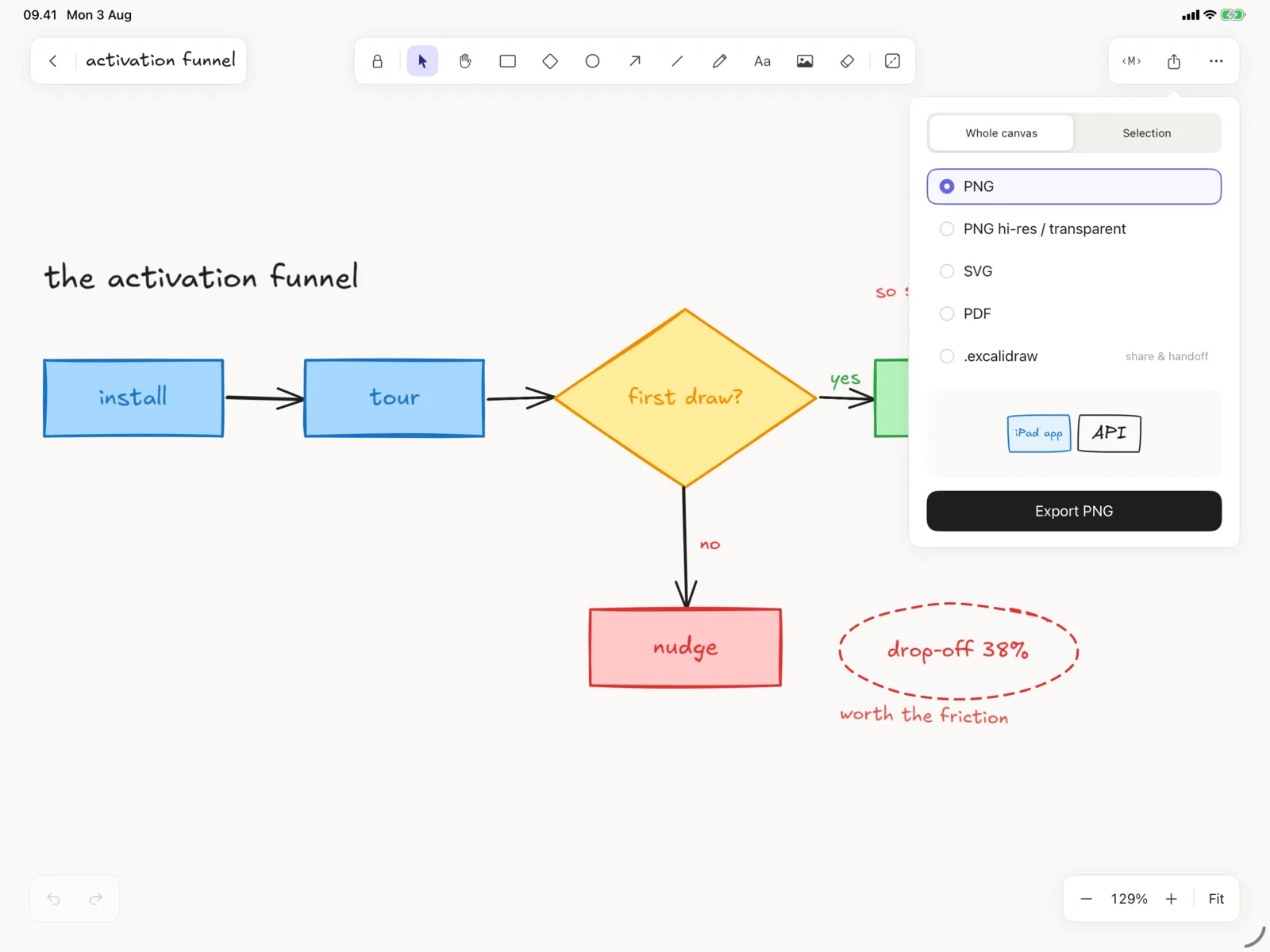
Pro exports SVG, PDF, and high-resolution or transparent PNG. And Export All Data hands you a zip of every canvas as an ordinary .excalidraw file, free tier included, always. Your drawings are yours.
One purchase. No subscription.
Pro is a one-time unlock with Family Sharing. It lifts the 10-file limit, adds folders and search, syncs your library across devices with iCloud, and opens up full export and Mermaid insertion. Everything you draw stays free to take with you.
Drawn on iPad. Carried on iPhone.
iPad is the full editor and where the Pencil work happens. On iPhone, Xcalidraw is for looking things over and making small changes. Open a canvas, pan around, fix a label, export it before the meeting.
Start sketching.